For load balancing and/or failover, a minimum of 3 interfaces is required: one for LAN and two for WAN.

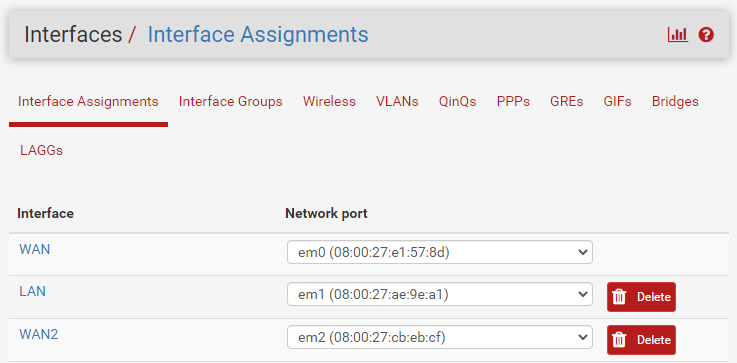
On Interfaces > Interface Assignments, all interfaces must be added:
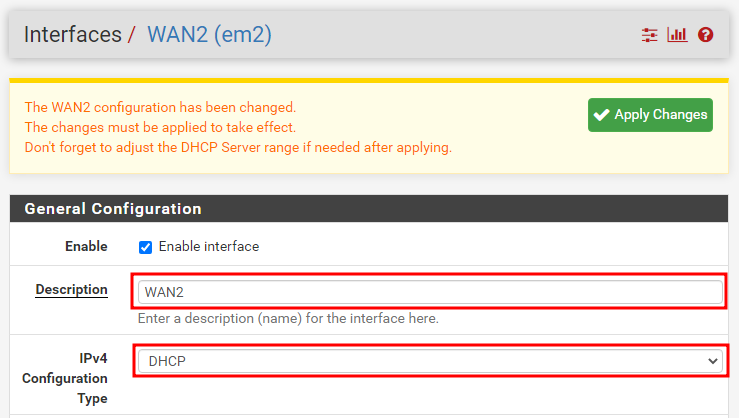
Each interface also needs basic configuration and a meaningful name:
Note that the monitored IP matches the gateway for each interface. This means that if the link between pfSense and the gateway goes down, traffic will fail over to the other interface.
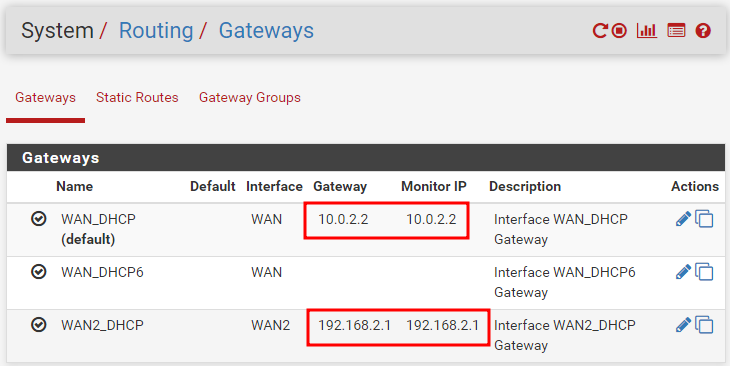
There is also a scenario where the ISP router is reachable but has no internet connectivity on its WAN side. For that case, an external host can be set as the monitor IP, for example 8.8.8.8 or 8.8.4.4. Leave this for now.
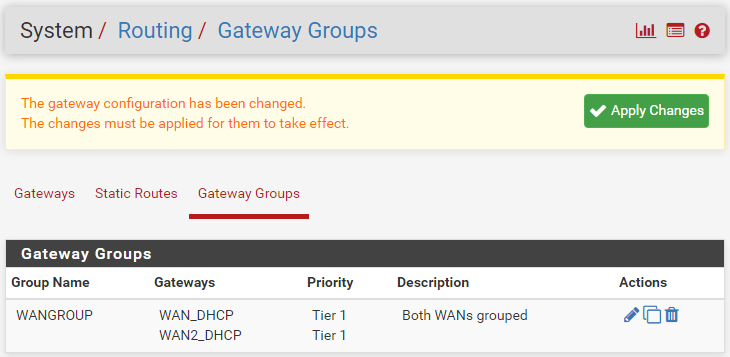
Go to System > Routing > Gateway Groups and click “+ Add” to group both gateways together.
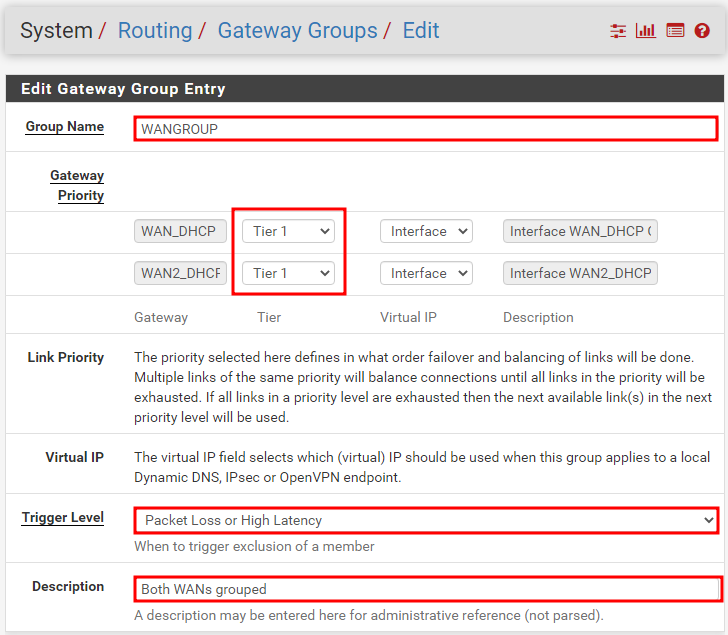
- Give the group a meaningful name and description. Most importantly, define the priority and trigger level for each gateway.
- Assigning the same priority to both gateways enables load balancing.
- If one WAN connection is metered and should only be used as a backup, assign it a lower priority.
- The “Packet Loss” and “High Latency” trigger levels monitor traffic flowing through the interface and will temporarily remove it from the group if it is not performing normally.
Remember to apply all changes.
Done!