Greenbone Vulnerability Manager, formerly OpenVAS, is a full-featured free open-source vulnerability scanner with enterprise-grade features [Link].
It supports unauthenticated and authenticated testing for internet and industrial protocols at various levels of intrusion.
Requirements
- 4 vCPU (2 is the minimum, but it does not work properly with less)
- 8GB of RAM (less may crash the server)
- 50GB of Storage (approximately 25% utilized after deployment)
INSTALLING
Ubuntu 24.04
sudo apt update && sudo apt upgrade -y
sudo apt install ca-certificates curl gnupg -y
for pkg in docker.io docker-doc docker-compose podman-docker containerd runc; do sudo apt remove $pkg -y; done
sudo install -m 0755 -d /etc/apt/keyrings
curl -fsSL https://download.docker.com/linux/ubuntu/gpg | sudo gpg --dearmor -o /etc/apt/keyrings/docker.gpg
sudo chmod a+r /etc/apt/keyrings/docker.gpg
echo "deb [arch="$(dpkg --print-architecture)" signed-by=/etc/apt/keyrings/docker.gpg] https://download.docker.com/linux/ubuntu "$(. /etc/os-release && echo "$VERSION_CODENAME")" stable" | sudo tee /etc/apt/sources.list.d/docker.list > /dev/null
sudo apt update
sudo apt install docker-ce docker-ce-cli containerd.io docker-compose-plugin -y
sudo usermod -aG docker $USER && su $USER
export DOWNLOAD_DIR=$HOME/greenbone-community-container && mkdir -p $DOWNLOAD_DIR
curl -f -O -L https://greenbone.github.io/docs/latest/_static/docker-compose.yml --output-dir "$DOWNLOAD_DIR"
docker compose -f $DOWNLOAD_DIR/docker-compose.yml up -d
docker compose -f $DOWNLOAD_DIR/docker-compose.yml exec -u gvmd gvmd gvmd --user=admin --new-password='strong_password'
Debian 12
sudo apt update && sudo apt upgrade -y
sudo apt install ca-certificates curl gnupg -y
for pkg in docker.io docker-doc docker-compose podman-docker containerd runc; do sudo apt remove $pkg -y; done
sudo install -m 0755 -d /etc/apt/keyrings
curl -fsSL https://download.docker.com/linux/debian/gpg | sudo gpg --dearmor -o /etc/apt/keyrings/docker.gpg
sudo chmod a+r /etc/apt/keyrings/docker.gpg
echo "deb [arch="$(dpkg --print-architecture)" signed-by=/etc/apt/keyrings/docker.gpg] https://download.docker.com/linux/debian "$(. /etc/os-release && echo "$VERSION_CODENAME")" stable" | sudo tee /etc/apt/sources.list.d/docker.list > /dev/null
sudo apt update
sudo apt install docker-ce docker-ce-cli containerd.io docker-compose-plugin -y
sudo usermod -aG docker $USER && su $USER
export DOWNLOAD_DIR=$HOME/greenbone-community-container && mkdir -p $DOWNLOAD_DIR
curl -f -O -L https://greenbone.github.io/docs/latest/_static/docker-compose.yml --output-dir "$DOWNLOAD_DIR"
docker compose -f $DOWNLOAD_DIR/docker-compose.yml up -d
docker compose -f $DOWNLOAD_DIR/docker-compose.yml exec -u gvmd gvmd gvmd --user=admin --new-password='strong_password'
In your browser, navigate to http://10.10.10.1:9392.
DATABASES UPDATE
The first time the container starts, it takes several minutes to download the latest vulnerability updates.
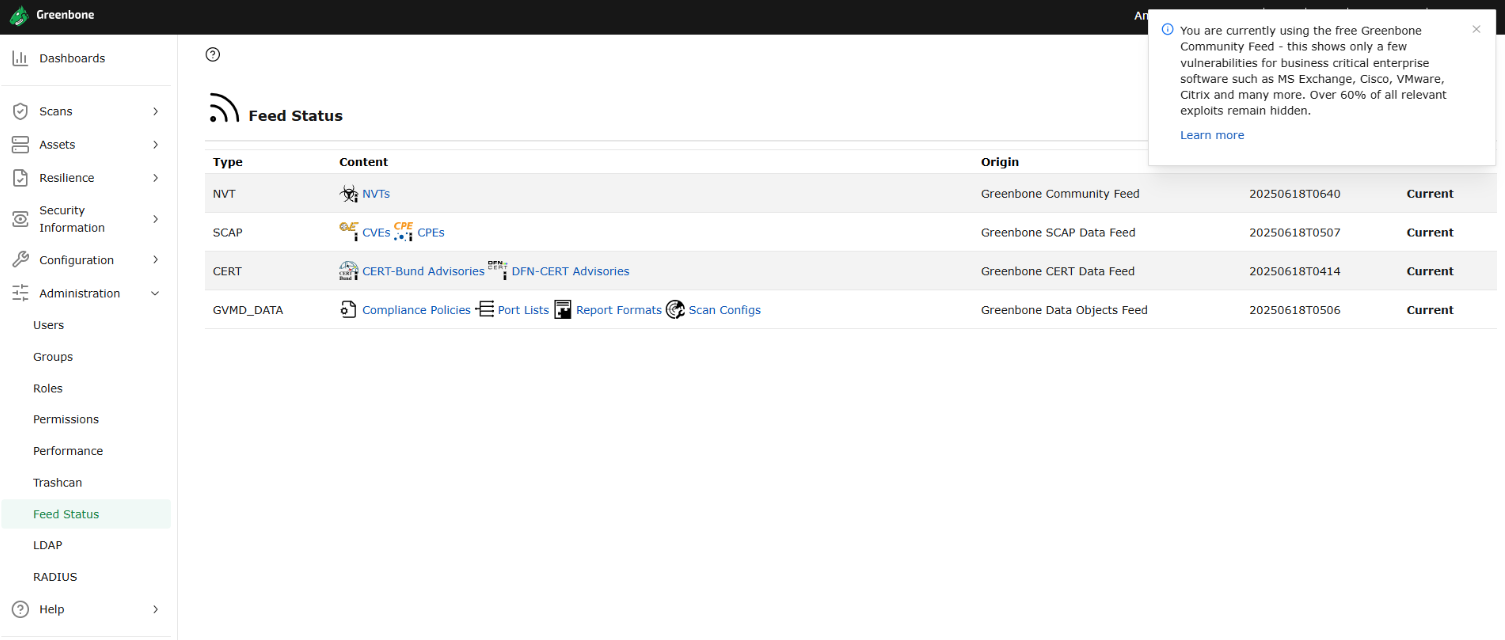
Navigate to Administration > Feed Status and wait until all feeds show a status of “current”.
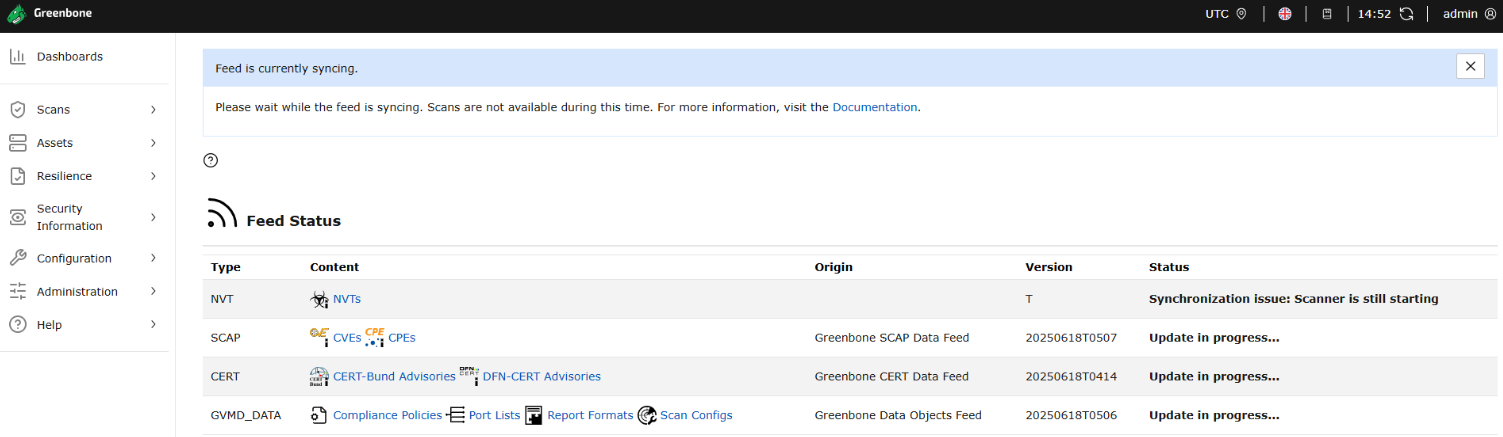
After a very long time…
REFLECTIONS
Since the Docker Compose file was introduced, deploying and managing OpenVAS has become much easier (it was quite painful before). See the official documentation for additional information [Link].
To watch output logs in real-time:
export DOWNLOAD_DIR=$HOME/greenbone-community-container
docker compose -f $DOWNLOAD_DIR/docker-compose.yml logs -f
There is an issue that took me a long time to figure out: feed updates do not reliably succeed and mostly fail.
The feeds are pulled via rsync from the following sources:
- Community NVT Feed
- rsync://feed.community.greenbone.net:/nvt-feed
- SCAP Feed
- rsync://feed.community.greenbone.net:/scap-data
- CERT Feed
- rsync://feed.community.greenbone.net:/cert-data
- GVMD Data Feed
- rsync://feed.community.greenbone.net:/gvmd-data
Without a paid license for the enterprise repository, the limited resources of the community servers often cause the sync to fail partway through.
There are two solutions:
- Self-host a mirror of the repository.
- Deploy a service that periodically syncs with the remote and serves the repository locally to all your consumers.
- Pull the container images to the latest version before syncing. This minimizes the delta between local and remote, improving the chances of a successful sync.
-
export DOWNLOAD_DIR=$HOME/greenbone-community-container
docker compose -f $DOWNLOAD_DIR/docker-compose.yml down
docker compose -f $DOWNLOAD_DIR/docker-compose.yml pull
docker compose -f $DOWNLOAD_DIR/docker-compose.yml up -d
-