Serving packages locally can improve server performance during installations and updates, and reduce internet bandwidth usage on repeated downloads.
- Option 1 – Install a Proxy Cache for APT packages on the LAN [Link].
- This option is flexible — it does not require configuring each repository for each distribution and version separately.
- When the first host on the network fetches a package, it is cached and served to any subsequent host that requests it.
apt install apt-cacher-ng -y
ufw allow 3142
Note: Ensure the volume hosting the cache directory (/var/cache/apt-cacher-ng) has sufficient space. Adjust the relevant parameters in /etc/apt-cacher-ng/acng.conf to prevent overflow.
On the other hosts in the same network, configure apt to use the proxy.
echo 'Acquire::http { Proxy "http://10.1.1.2:3142"; };' | sudo tee /etc/apt/apt.conf.d/01proxy
echo 'Acquire::https::Proxy "false";' | sudo tee -a /etc/apt/apt.conf.d/01proxy
sudo sed -i 's|https://|http://|g' /etc/apt/sources.list
sudo sed -i 's|https://|http://|g' /etc/apt/sources.list.d/*
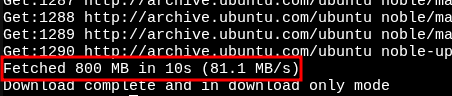
Monitor cache hits and misses, and adjust parameters at http://10.1.1.2:3142/acng-report.html.


- Option 2 – Mirror the public repository.
- This is a good fit for data centers, where the high volume of requests justifies the storage requirements.
- Each repository can exceed 100 GB and requires initial setup and periodic synchronization.
- This can be done with
apt-mirror,debmirror,reprepro, or simply withrsyncand a web server such asapacheornginx.
sudo apt install nginx rsync -y
mkdir -p /var/www/html/ubuntu
rsync -a --bwlimit=128 rsync://archive.ubuntu.com/ubuntu /var/www/html/ubuntu
Update the client hosts to point to your local server.
sudo nano /etc/apt/sources.list
The example below assumes that the mock domain ubuntumirror.lan resolves locally to the IP of the server hosting the mirror.
deb http://ubuntumirror.lan/ubuntu/ noble main
deb-src http://ubuntumirror.lan/ubuntu/ noble main
SNAP Package Manager
Configure a proxy for snap.
sudo apt install snapd -y
snap install snap-store-proxy

On the client side, configure snap to use the proxy.
sudo snap set system proxy.http="http://10.1.1.2:3128"
sudo snap set system proxy.https="http://10.1.1.2:3128"