Technitium DNS Server is an open-source DNS solution that combines recursive and authoritative resolvers [Link].
Besides the extensions/plugins, Technitium is a monolithic (C#) application with an integrated web GUI (that is the biggest difference when compared with PowerDNS).
In previous posts, I introduced the whole PowerDNS stack [Link] and different design strategies for geographic resilience [Link].
The purpose of this post is to introduce Technitium as a powerful, all-in-one DNS solution. It is not as mature as BIND, Unbound, DNSMasq, or even PowerDNS, but it arguably fills the gaps of all of them in a single package.
Another highlight will be the resilient design built around the resolvers, using the “hidden primary” concept proposed in NIST SP 800-81r3 – Secure Domain Name System (DNS) Deployment Guide [Link].
DESIGN
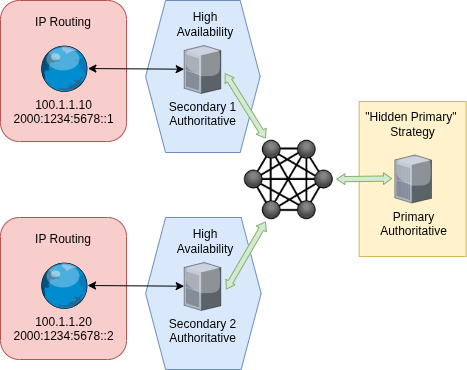
Key points of this design:
- At the edge, the public IPs only serve the replicas (secondary) of the zones from the main (primary) server.
- The primary server can reside in any undisclosed location with no inbound traffic.
- A WireGuard mesh network (VPN) with strict ACLs allows the replicas to reach the primary to fetch changes.
The key point is that the primary is not internet-facing, and all nodes have static addresses within the mesh network (VPN).
Here are popular mesh network solutions:
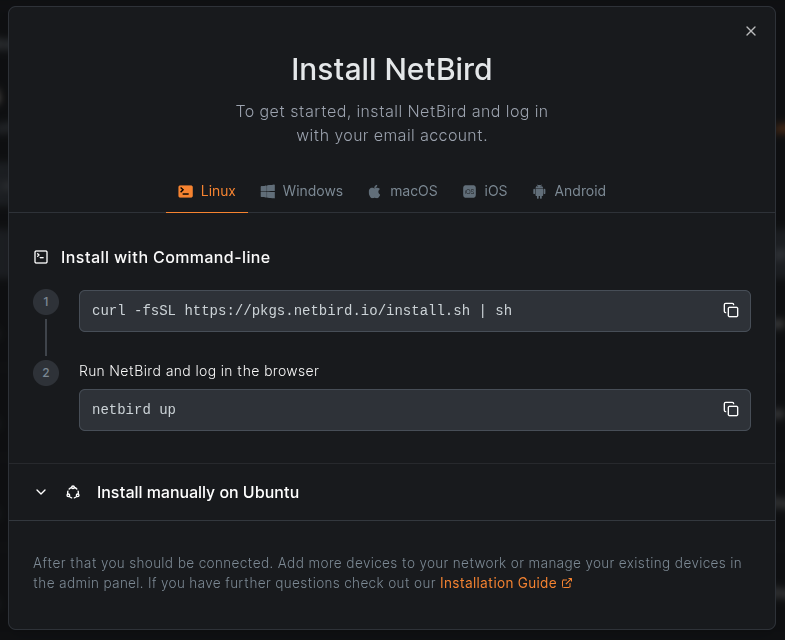
- Netbird [Link] – Recommended
- Fully open-source and self-hostable,
- Also available as a managed service.
- Nebula [Link]
- The mesh network is open-source, with a native orchestrator called Lighthouse.
- Many organizations offer managed Nebula with their own proprietary orchestrator.
- TailScale [Link]
- Probably the most well-known managed mesh network,
- The client is open-source, but the official orchestrator is proprietary and cannot be self-hosted,
- There is an open-source orchestrator alternative called Headscale [Link].
- ZeroTier [Link]
- Free for non-commercial use and source-available,
- Licensing limits commercial use, and managed service is only available through ZeroTier itself.
PRIMARY AUTHORITATIVE
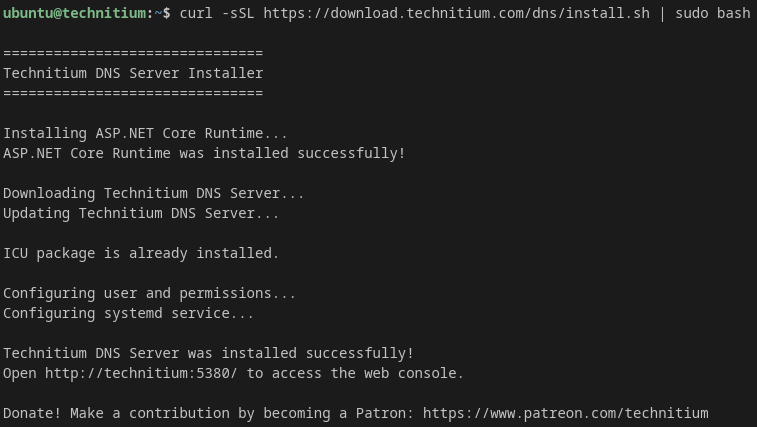
Installation – The easy way [Link].
curl -sSL https://download.technitium.com/dns/install.sh | sudo bash
5 seconds later… it is done!
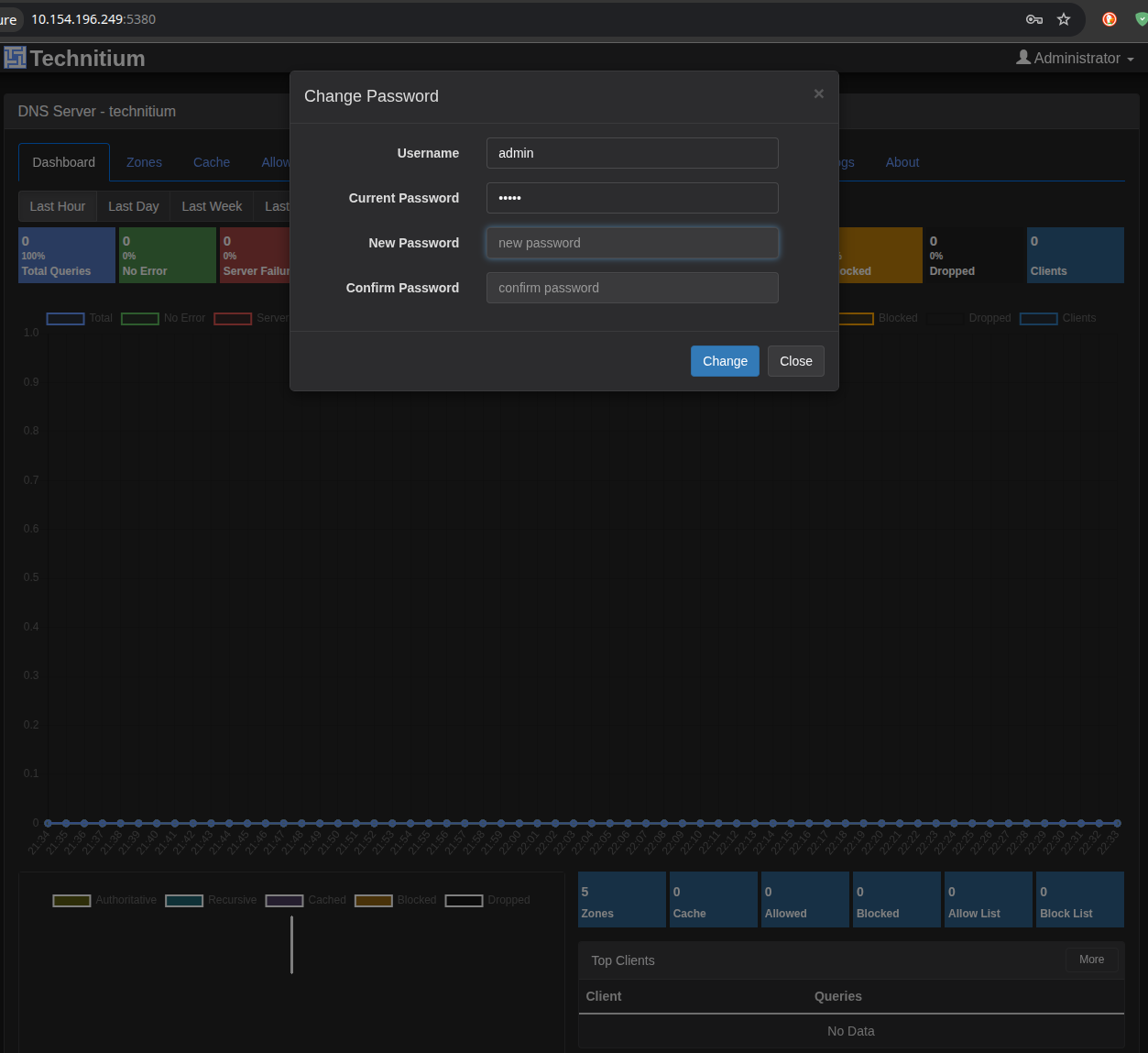
Navigate to http://<IP>:5380 and set a secure password for the admin account.
In most organizations today, sysadmins prefer to deploy dedicated servers this way. While snapshots, backups, and geo-replication are still configured for data safety, high availability (HA) is handled by the replicas, not the primary server itself.
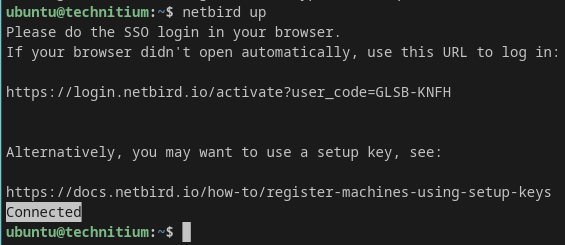
Add the primary server to your mesh network of choice.
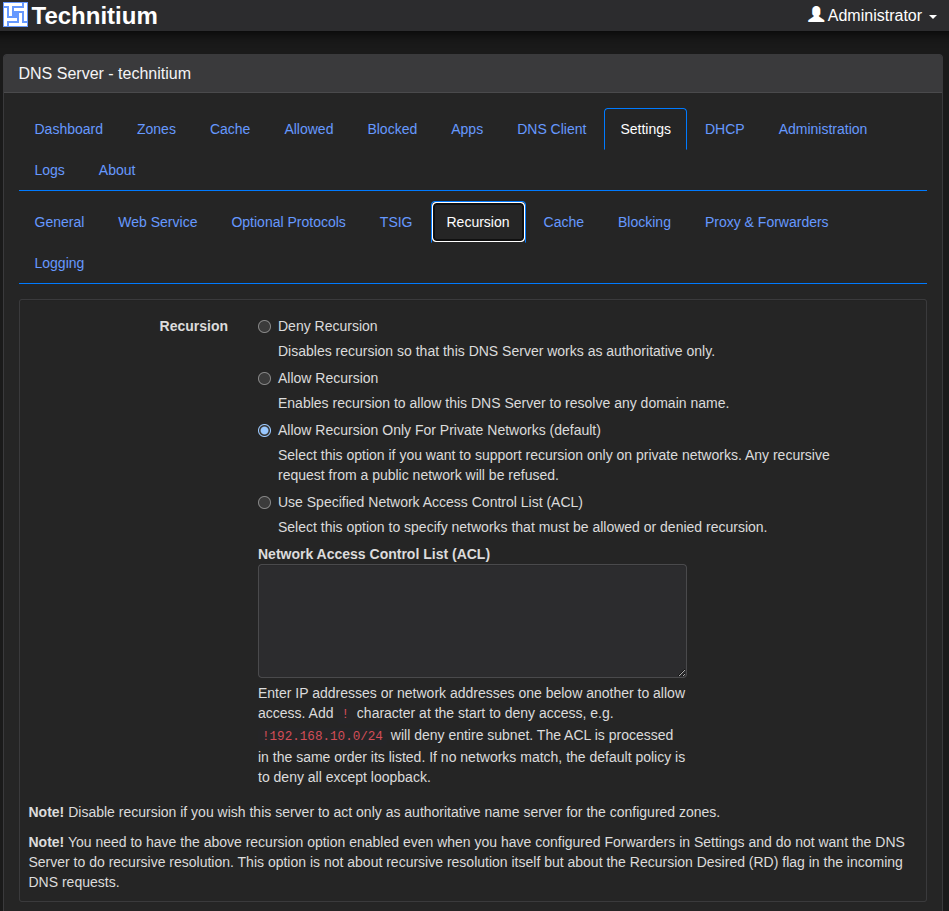
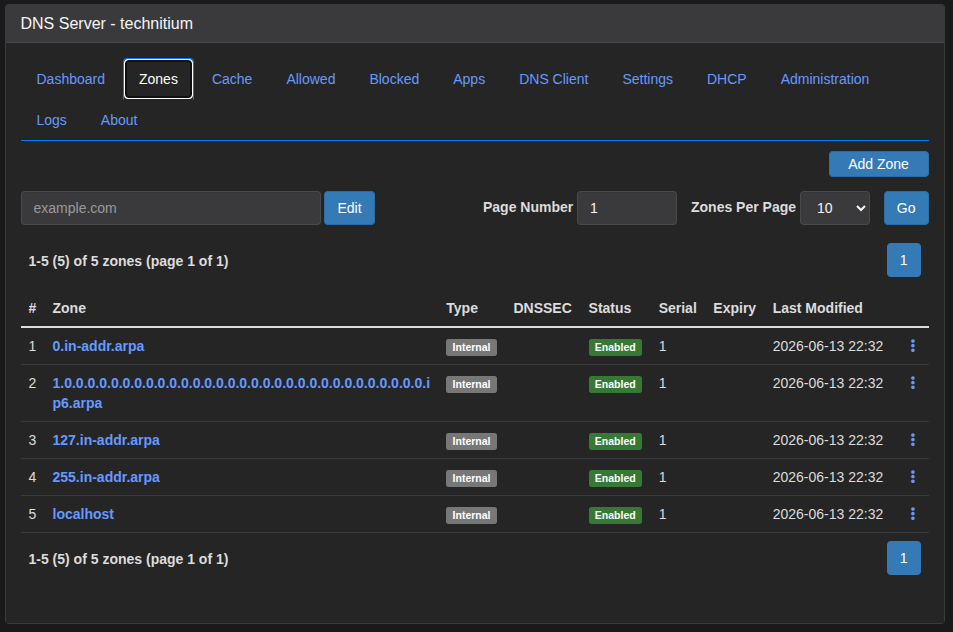
It will immediately start the recursive resolver. See the default recursion setting below.
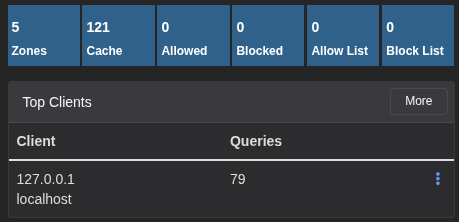
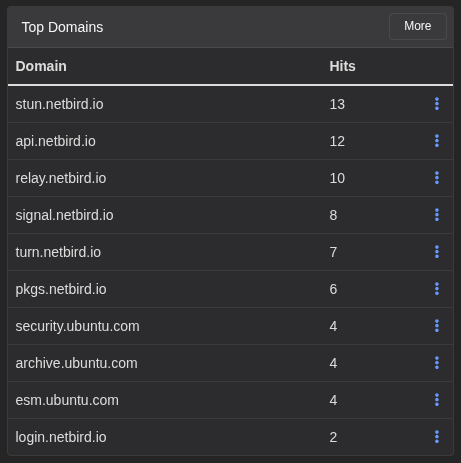
Note the real-time metrics.
Creating a New Zone
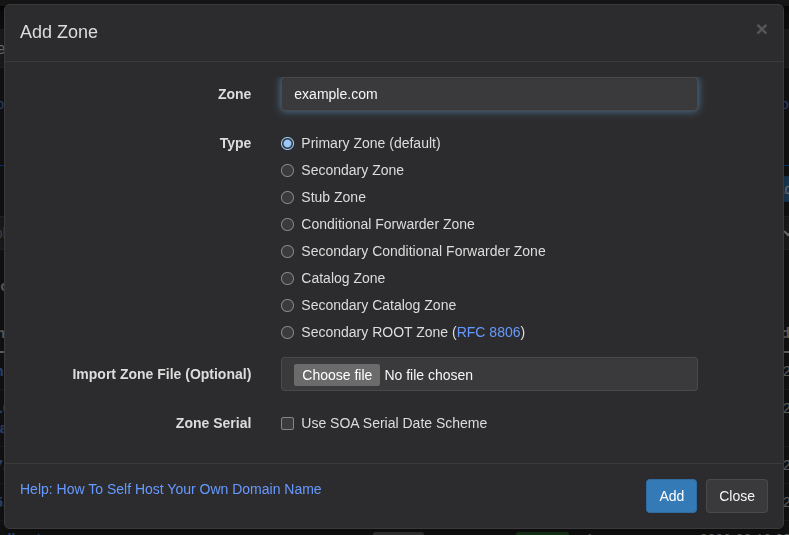
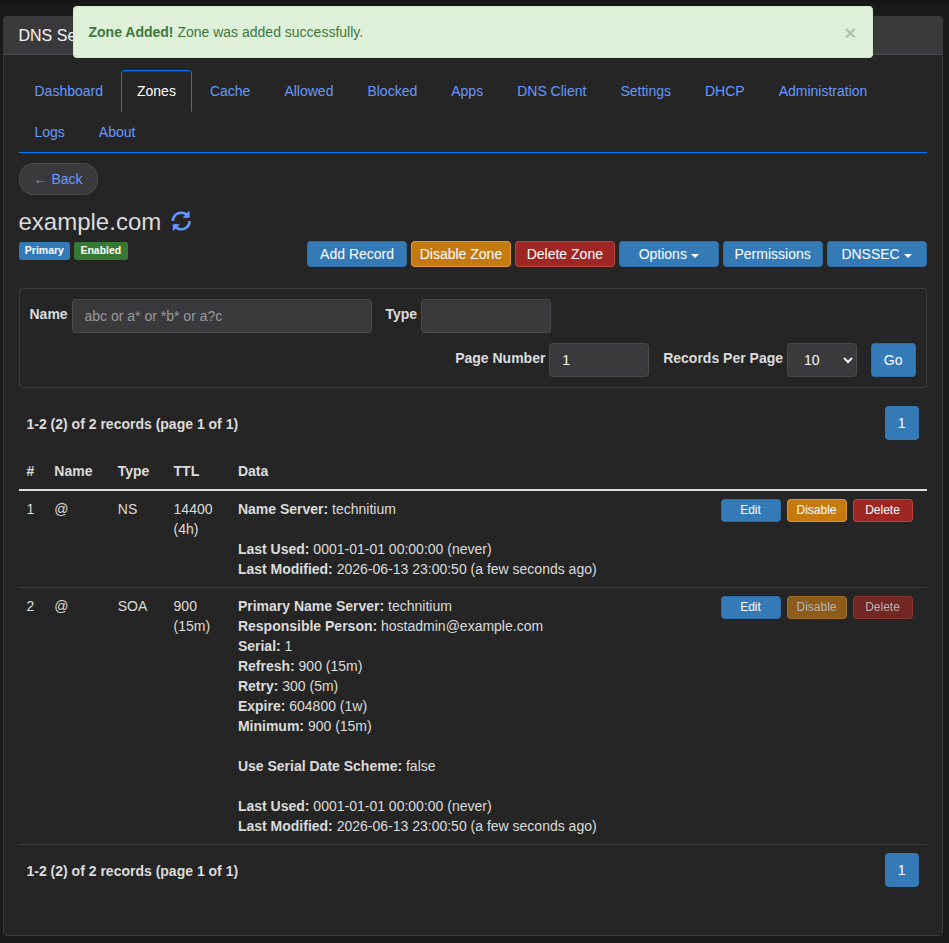
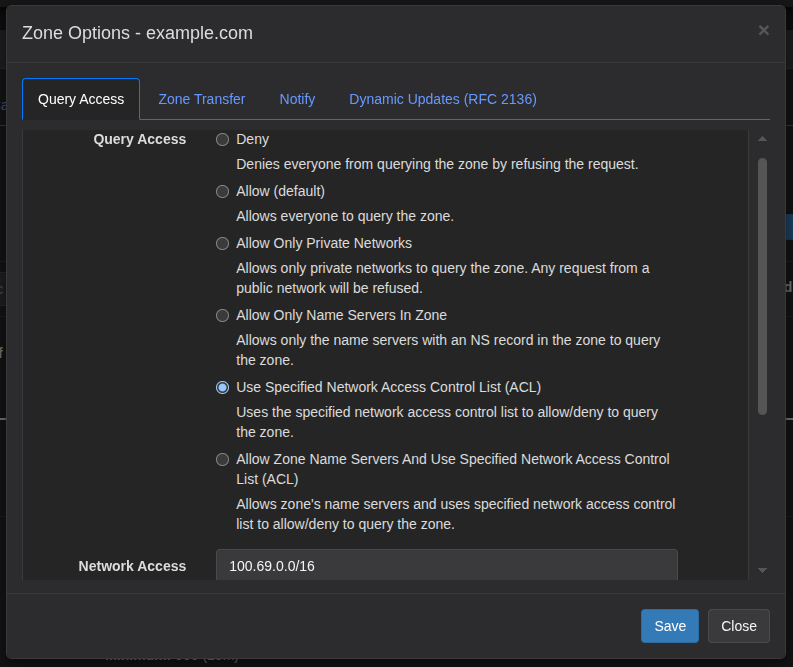
Check the address range of your mesh network. NetBird uses 100.69.0.0/16.

Open the advanced options for the zone.
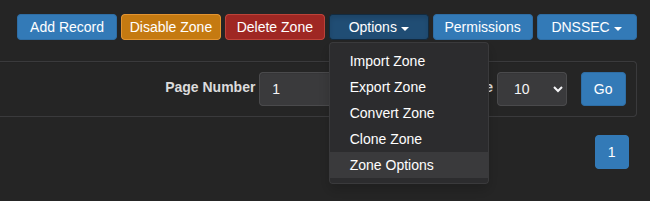
Allow query access to the entire mesh network address space. Fine-grained access control can be handled at the mesh network level using policies.
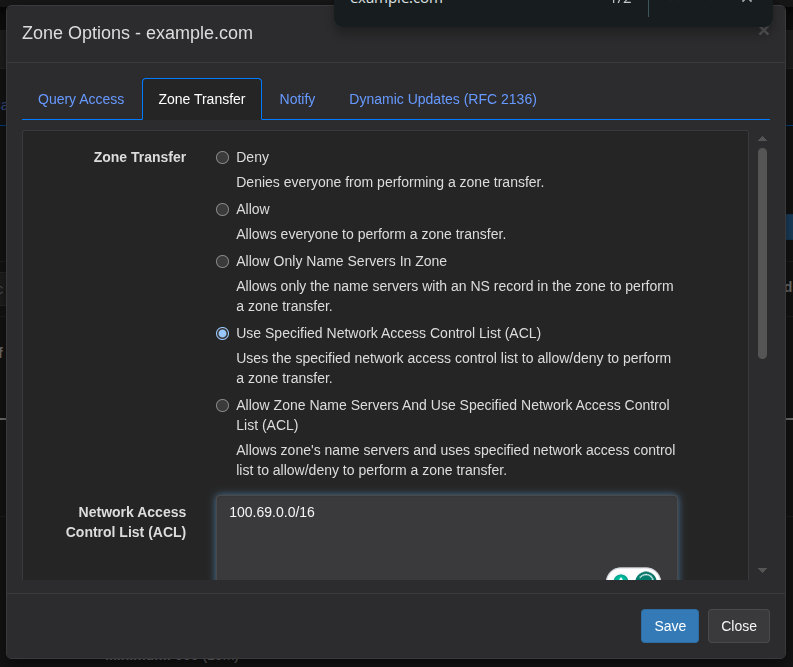
Allow zone transfer to the replicas.
Leave the zone for now and configure the replicas.
SECONDARY AUTHORITATIVE
The same installation method used for the primary can be used for the secondaries, but for this setup we will use containers in a more ephemeral fashion. This approach offers more flexibility for scaling on demand and can be deployed fresh from source at any time.
Mesh Network
Many mesh networks, such as NetBird, include their own internal DNS service. After adding the secondary instances to the network, group them all together.
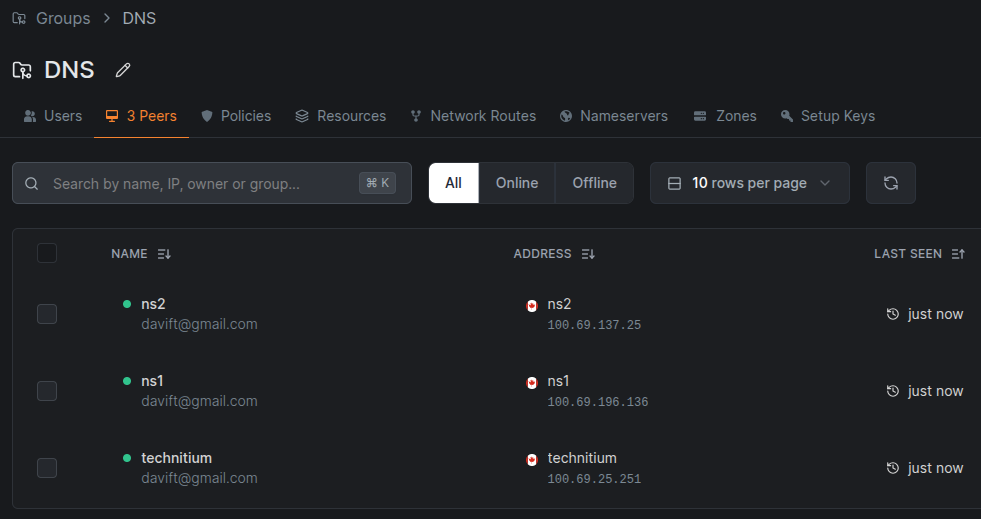
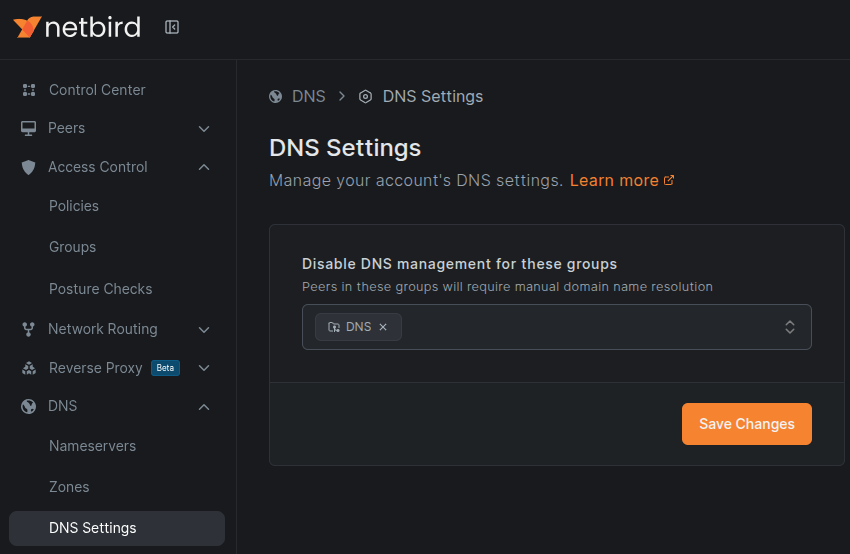
Then disable DNS management for the group of resolvers (named “DNS” in this example).
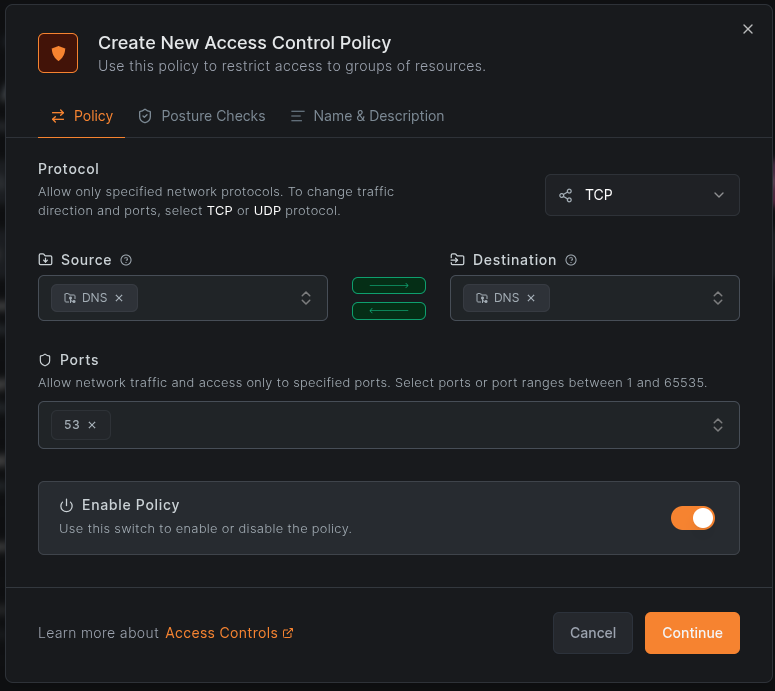
Create a policy that allows traffic between DNS instances on port 53 over UDP, and another for TCP.
Installation
sudo apt install docker.io docker-compose -y
sudo systemctl disable --now systemd-resolved
sudo rm -f /etc/resolv.conf
echo 'nameserver 1.1.1.1' | sudo tee /etc/resolv.conf
echo 'search internal' | sudo tee -a /etc/resolv.conf
The official documentation provides a Docker Compose template, but it is not complete for this deployment.
wget https://raw.githubusercontent.com/TechnitiumSoftware/DnsServer/refs/heads/master/docker-compose.yml
sudo docker compose up -d
Instead, create a docker-compose.yml file with the following content.
services:
  dns-server:
    container_name: dns-server
    hostname: dns-server
    image: docker.io/technitium/dns-server:latest
    ports:
      - "5380:5380/tcp"
      - "53:53/udp"
      - "53:53/tcp"
    environment:
      - DNS_SERVER_DOMAIN=dns-server
      - DNS_SERVER_ADMIN_PASSWORD=ChangeMe_StrongPassword
      - DNS_SERVER_RECURSION=Deny
      - DNS_SERVER_LOG_FOLDER_PATH=/var/log/technitium/dns
    volumes:
      - config:/etc/dns
      - logs:/var/log/technitium/dns
    restart: unless-stopped
    sysctls:
      - net.ipv4.ip_local_port_range=1024 65535
  zone-init:
    image: docker.io/curlimages/curl:latest
    container_name: dns-zone-init
    depends_on:
      - dns-server
    restart: "no"
    environment:
      - DNS_URL=http://dns-server:5380
      - DNS_USER=admin
      - DNS_PASS=ChangeMe_StrongPassword     # must match DNS_SERVER_ADMIN_PASSWORD above
      - PRIMARY_NS=100.69.25.251             # primary server holding the master zone(s)
      - ZONE_TYPE=Secondary                  # use SecondaryCatalog to auto-pull ALL zones
      - ZONE_NAMES=example.com               # comma-separated list of zones to replicate
    entrypoint: ["/bin/sh", "-c"]
    command:
      - |
        set -eu
        echo "Waiting for Technitium API ..."
        until TOKEN=$$(curl -sf "$${DNS_URL}/api/user/login?user=$${DNS_USER}&pass=$${DNS_PASS}" | sed -n 's/.*"token":"\([^"]*\)".*/\1/p'); [ -n "$${TOKEN}" ]; do
          sleep 3
        done
        echo "Authenticated."

        IFS=','
        for ZONE in $${ZONE_NAMES}; do
          ZONE=$$(echo "$${ZONE}" | tr -d ' ')
          [ -z "$${ZONE}" ] && continue
          echo "Creating $${ZONE_TYPE} zone $${ZONE} (primary $${PRIMARY_NS})"
          curl -s "$${DNS_URL}/api/zones/create?token=$${TOKEN}&zone=$${ZONE}&type=$${ZONE_TYPE}&primaryNameServerAddresses=$${PRIMARY_NS}"
          echo
        done
volumes:
    config:
    logs:
Explanation
- The
dns-servercontainer runs Technitium with:- Recursion disabled (authoritative only),
- A custom password set for API access.
- The
zone-initcontainer is a sidecar that:- Automatically creates the secondary zone(s),
- Runs once on startup and then exits.
APPLYING THE NAMESERVERS
- Primary
- Deployed in an undisclosed location (“hidden primary” concept),
- No public IP, only accessible via a private network for zone transfer.
- Secondary NS1
- Deployed on Digital Ocean (just an example):
104.248.10.102604:a880::1
- Deployed on Digital Ocean (just an example):
- Secondary NS2
- Deployed on Linode (just an example):
139.162.0.12a01:7e00::1
- Deployed on Linode (just an example):
Make changes to the zone following the example below.
NS, A, and AAAA records must be present for both NS1 and NS2, with no evidence of the hidden primary.
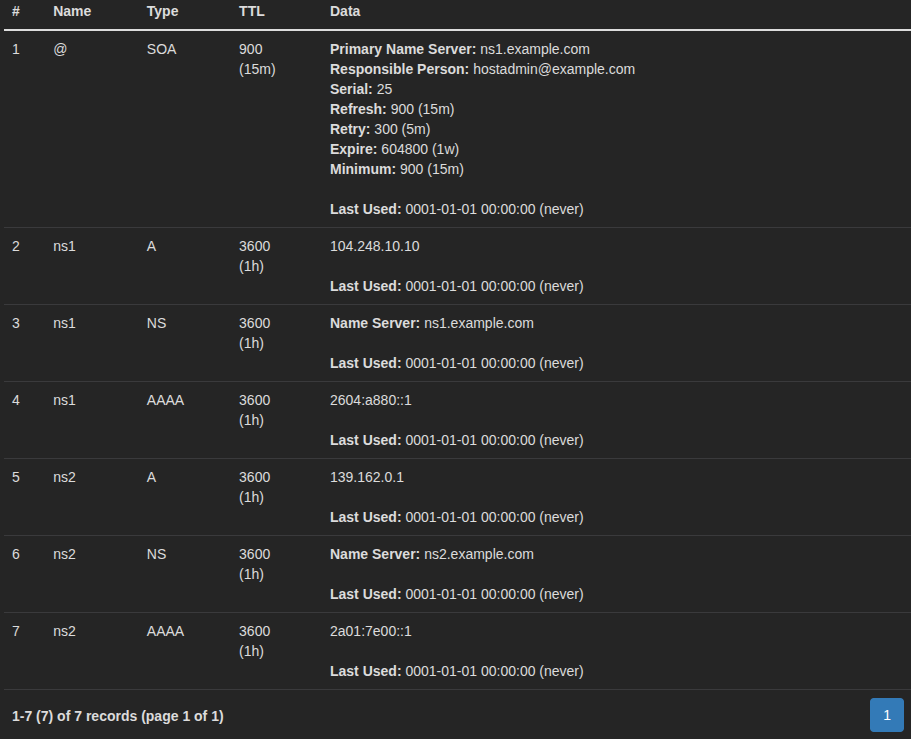
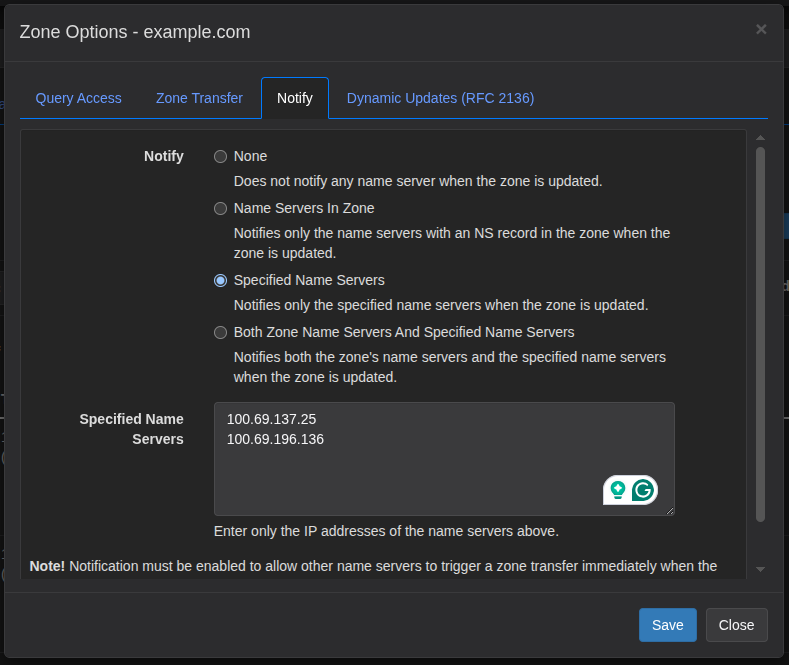
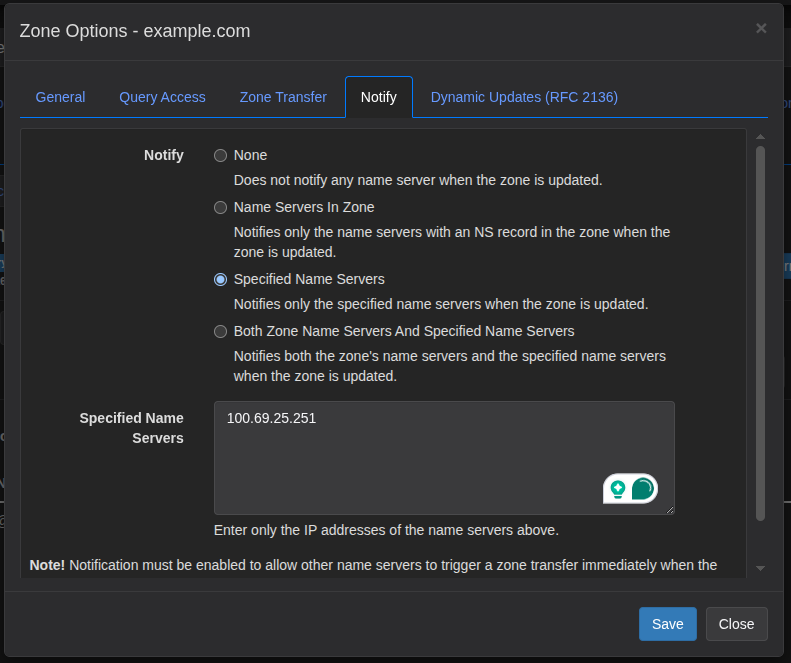
Changes will not propagate from the primary to the secondaries immediately. If you do not want to wait 15 minutes (900 seconds) for changes to appear on the replicas, enable notify.
On the Primary:
On the Secondaries:
Finally, add the NS records to your registrar.
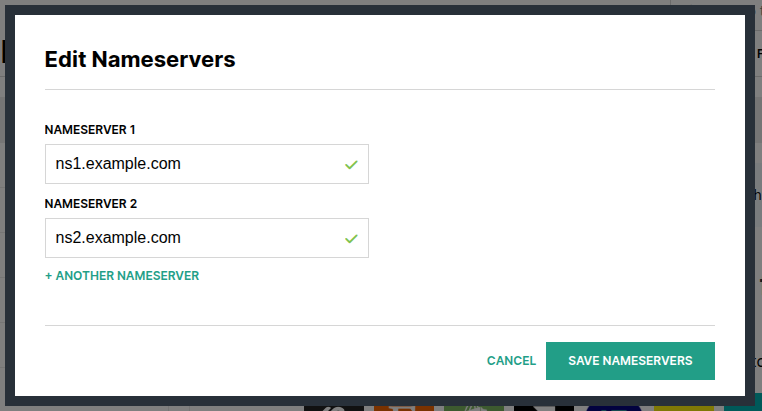
It may take some time to take effect. Be patient.